My City My School
Kiosk and Athletics System
Disrupting local workforce and sports ecosystems through Sovereign AI. Deploying high-performance Howard Kiosks to capture intent and drive Little Elm growth.
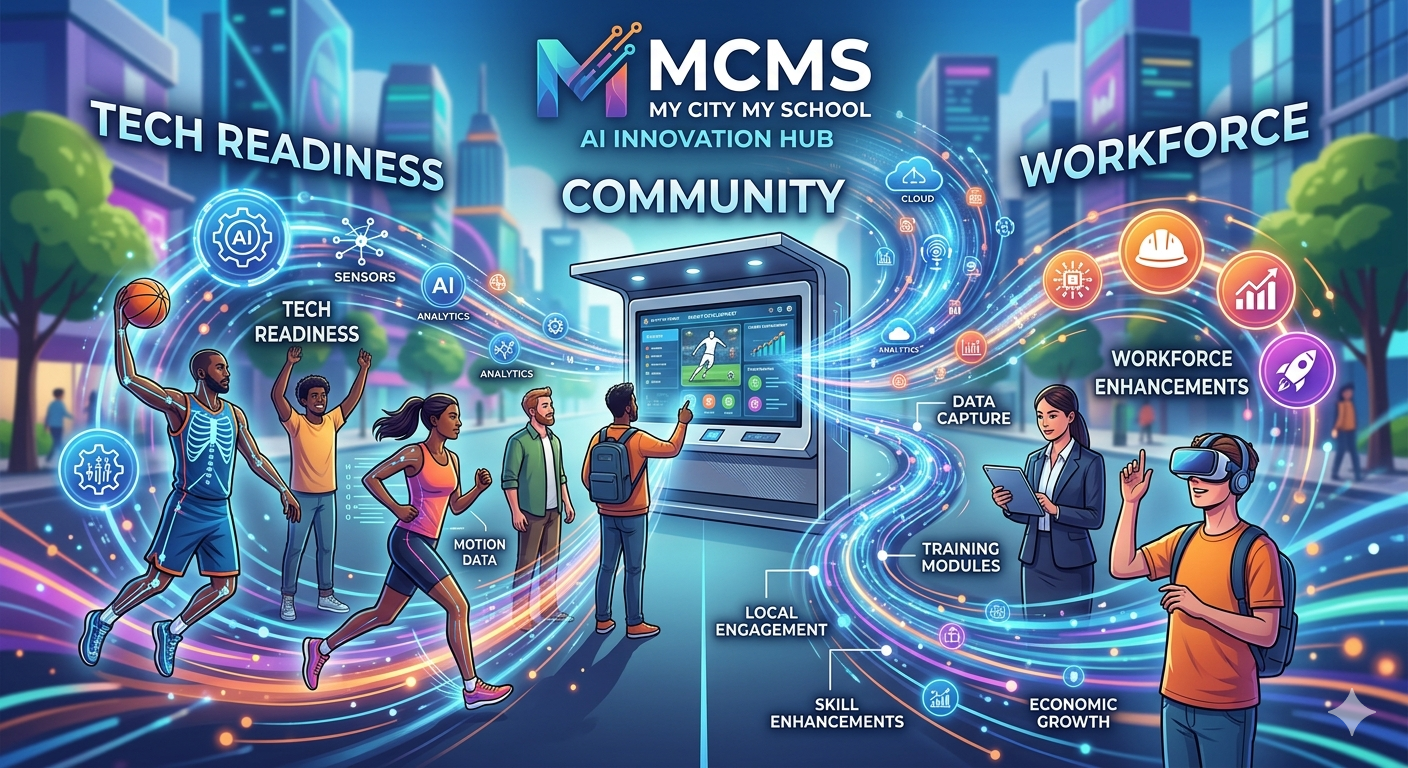
Sports Mastery
Active biomechanical tracking for LEAYSA, Wrestling, and City League programs.
Career Velocity
Workforce readiness portals and AI-driven skill gap assessments in civic hubs.
Market Capture
Capturing high-intent data to fuel CDM Marketplace automation services.
Try the Kiosk — Right Here
Walk through the exact flow a user gets at the venue: tap in, pick a track, watch the NVIDIA Jetson AI session run on-device, answer the intent micro-survey, and collect a QR reward.
- ● ~60 seconds end-to-end — no install, no signup.
- ● Skeleton tracking visualized — privacy-safe vector mock.
- ● Reward QR carries sponsor offer + replay + profile sync.
Tap to Begin
Simulate a full kiosk run: tap → AI session → reward — exactly what a user experiences in the field.
Kiosk Setup, in Plain English
A Howard rugged touchscreen with an NVIDIA Jetson edge-AI module is wired into power and 5G/Wi-Fi at the host venue. Camera + skeleton tracking run on-device — no cloud round-trip, no personal video stored. Users walk up, tap, perform, and leave with a QR.
STEP 01
Deploy
Howard kiosk installed at park, gym, lobby, or event tent. Plug-and-play in under 30 min.
STEP 02
Tap In
User taps screen or scans QR. Optional: pick a sport or business category.
STEP 03
AI Session
NVIDIA Jetson runs the drill (physical) or quiz (cognitive) in real-time on-device.
STEP 04
Capture Intent
3-question micro-survey: who are you, what do you need next?
STEP 05
Reward + Sync
QR delivers sponsor coupon, replay video, and athlete profile to phone.
Privacy-first: skeleton vectors only — no faces stored.
Edge-AI: sub-second feedback, works offline.
Sync: intent + analytics flow to CDM dashboard.
What do I do? What gets collected?
Quick answers for first-time kiosk users. If a question isn't here, the on-screen prompt will walk you through it.
What do I actually do at the kiosk?
Walk up, tap the screen, and pick a track (a sport drill or a cognitive quiz). Follow the on-screen prompt for ~30–60 seconds, then answer 3 quick questions and scan the QR to claim your reward.
Do I need an app or account?
No. The kiosk runs anonymously by default. The QR at the end can sync your session to your phone — only if you choose to scan it.
What data is collected?
Only what's needed to score the session: skeleton keypoints (vectors, not video), drill timing, and quiz answers. Plus the 3 intent answers you tap (e.g., your sport, frequency, contact preference).
Is my face or video stored?
No. The NVIDIA Jetson processes the camera feed on-device and discards frames. Only privacy-safe skeleton vectors and aggregate scores leave the kiosk.
Where does my data go?
Anonymized performance metrics flow to the venue's CDM dashboard. Personal contact info (only if you opt in via QR) goes to that venue's coach or business owner for follow-up.
Can I delete my data?
Yes. Scan the QR, open your profile, and tap Delete. It removes your contact info and athlete profile from the venue's dashboard within 24 hours.
How long does it take?
About 60 seconds total. Tap → drill/quiz (~30s) → 3 intent questions (~15s) → QR reward.
What do I get out of it?
A sponsor coupon, a slow-mo replay clip with skeleton overlay, and an athlete/career profile card you can share or save.
Whole-Team Capture — Distributed Multi-Camera Edge Network
Cities, schools, facilities, organizations, and event organizers get two deployment options: the Howard Kiosk for walk-up individual sessions, OR a Pole-Mounted Stationary Camera Hub that covers entire courts and fields for live multi-player tracking. Same NVIDIA edge AI brain — different eyes, different footprint.
01 · Architectural Pivot — The "Micro-Edge Hub"
Instead of a single rugged floor kiosk with one camera, we split Inference (the brain) from Capture (the eyes). Multiple PoE / wireless IP cameras feed a pole-mounted Howard NEMA box running a single NVIDIA Jetson Orin NX. One brain, many eyes, full court / full field.
Scaled-Down Howard Hardware
- · Pole-mounted NEMA-rated compact industrial box (12"×12"×6"), high-grade padlocked.
- · Passive heat-sink cooling — no loud HVAC fans, under 30W draw.
- · Up to 70% lower deployment cost vs. floor kiosk — covers multiple fields per kiosk budget.
Scaled-Down NVIDIA Compute
- · NVIDIA Jetson Orin NX (20GB) — credit-card sized, up to 100 TOPS.
- · NVIDIA DeepStream pipeline runs tracking on 4–6 concurrent feeds in real-time.
- · Local SSD storage + 5G / Wi-Fi bridge to MCMS Mobile App via QR sync.
02 · Camera Placement & Ingestion Maps
Indoor Courts — Basketball · Volleyball · Wrestling
- Cam 1 — Tactical Eye: half-court / center-mat, 15–20 ft high. All-player view for spacing, formations, defensive shifts.
- Cam 2 & 3 — Action Eyes: behind both hoops or opposing diagonal corners. Close-up shot accuracy, contact metrics, takedown reads.
Outdoor Fields — Soccer · Football · Field Hockey
- Cam 1 & 2 — Panoramic Stitch: wide-angle on center light poles opposite benches. Jetson stitches feeds at the edge into one unbroken field view.
- Cam 3 & 4 — Endzone / Goal Monitors: goalpost or endzone poles. Object-detection models track ball crossings, keeper reaction times, red-zone execution.
03 · NVIDIA DeepStream Pipeline — How It Stays Real-Time
STEP 01
RTSP Ingestion
Cameras connect via PoE CAT6 to a local switch inside the Howard box. Compressed video streams via RTSP.
STEP 02
Hardware Decode
Jetson NVDEC decompresses all 4 streams simultaneously in unified memory — zero CPU overhead.
STEP 03
Multi-Object Tracking
NVTracker assigns unique Player IDs and persists them across camera handoffs — no data fragmentation.
STEP 04
Local Vectorization
Pose joints + team coords saved as tiny JSON. Raw video deleted immediately — student-privacy compliant.
04 · What Data Is Captured & Converted
Full-field view = exponentially more valuable data for athletic directors, coaches, sponsors, and event organizers.
| Sport | Player Interaction | Data Points Captured | CDM Marketplace Pitch |
|---|---|---|---|
| Basketball | Passing lanes, shot angles, pick-and-roll timing. | Court coverage heatmaps, shot release speed, vertical jump peaks. | Automated Team Analytics Dashboards for local school ISDs. |
| Soccer / Football | Sprint acceleration, positioning, defensive shape. | Top speed (MPH), total distance run, spatial positioning integrity. | Sports clinics & training camps via regional sponsorships. |
| Wrestling | Takedown attempts, escape speed, balance shifts. | Reaction time (ms), center-of-gravity shifts, engagement rates. | Private martial-arts academies with automated review generation. |
Option A — Howard Walk-Up Kiosk
Single-user, ~60-second drill or quiz. Best for lobbies, events, and individual athlete capture.
Footprint: 1 floor unit · 1 camera · indoor or sheltered.
Option B — Stationary Camera Hub
Multi-camera pole-mount, full-team capture during live games and practices. Best for courts, fields, and outdoor events.
Footprint: 1 NEMA box · 2–6 IP cams · indoor or outdoor.